
HummingBird™ User Guide
Welcome
Thank you for choosing HUMMINGBIRD™ . This guide will help you use and maintain your trimmer safely and effectively. Illustrations are for reference only.
Product Overview
HUMMINGBIRD™ is a dual-function trimmer with two built-in heads :
- Snap-in blade (trimmer mode)
- Razor head (shaving mode)
On the body you’ll see:
- On/off & function switch
- Trimmer indicator
- Shaving indicator
What’s in the Box
- HUMMINGBIRD™ 2-in-1 trimmer and shaver
- 4 adjustable guide combs (1.5mm, 3mm, 3–6mm, 9–12mm)
- USB charging cable
- Cleaning brush
Charging
Before first use: fully charge the trimmer.
How to charge
- Make sure the trimmer is OFF .
- Plug in the USB cable and charge fully.
Reference charging time: about 1.5 hours.
LED indicators (what they mean)
- Press the on/off key: Trimmer mode starts and the Trimmer indicator lights blue
- Press again: Shaving mode starts and the Shaving indicator lights blue
- Press a third time: Device turns OFF
- Trimmer mode starts and the Trimmer indicator lights blue
- Shaving mode starts and the Shaving indicator lights blue
- Device turns OFF
Low battery: the active mode indicator flashes when battery is low
While charging: both indicators light red ; when fully charged, both indicators light blue .
Power empty: two red lights flash (do not use while charging).
How to Use
Switch between trimming and shaving
Use the On/Off + Function button:
- 1st press = Trimmer mode
- 2nd press = Shaving mode
- 3rd press = Off
Guide Combs
Comb application
- Align the comb sides with the grooves underneath the comb attachment.
- Slide the comb onto the grooming head completely until secure.
Comb removal
Gently pull open one side of the comb and remove carefully to avoid damage.
Blade Care & Cleaning
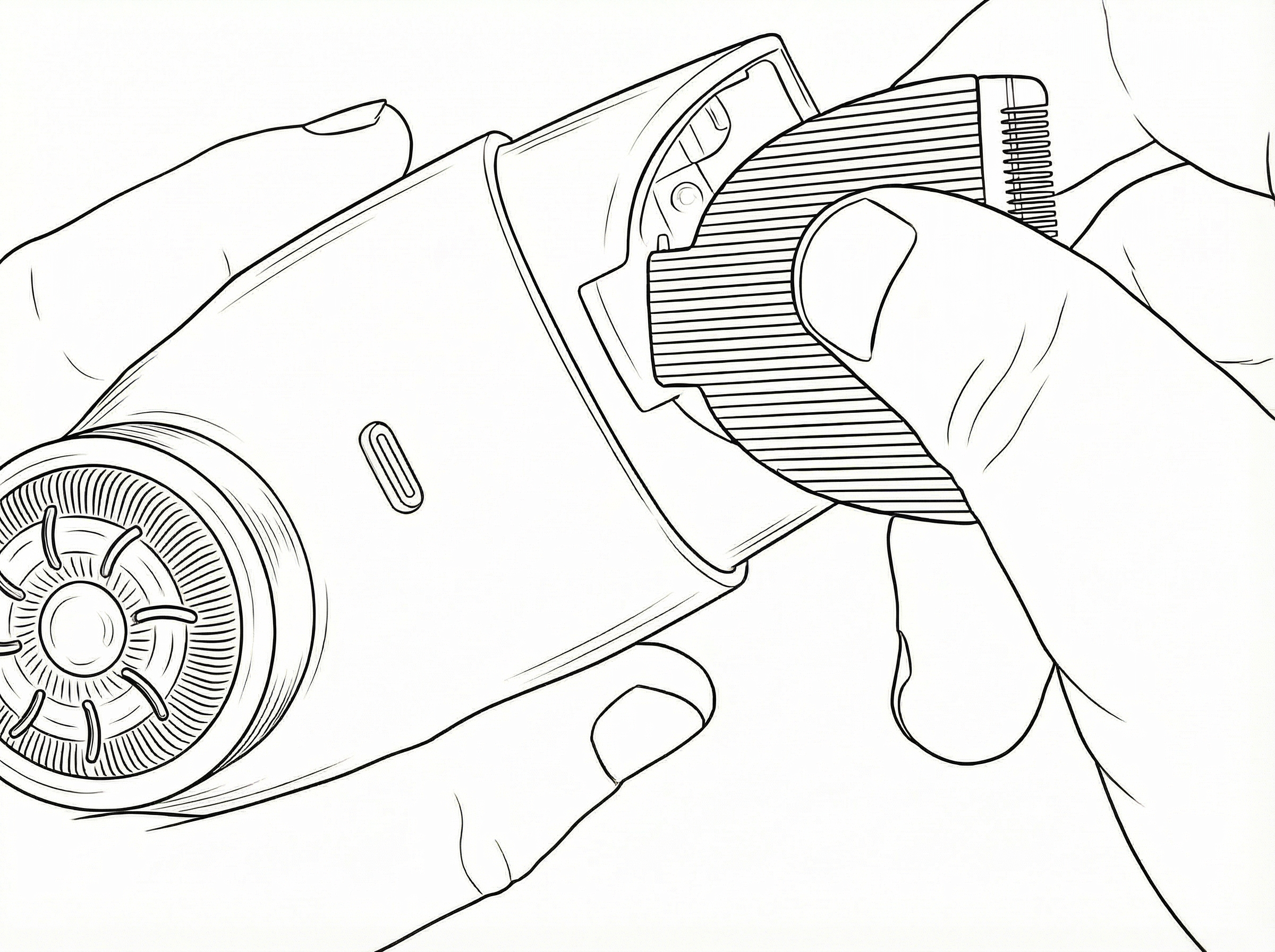
Snap-in blade assembly
- Align one side of the blade with the groove on the trimmer.
- Gently push the blade downward until the other side click securely into place.
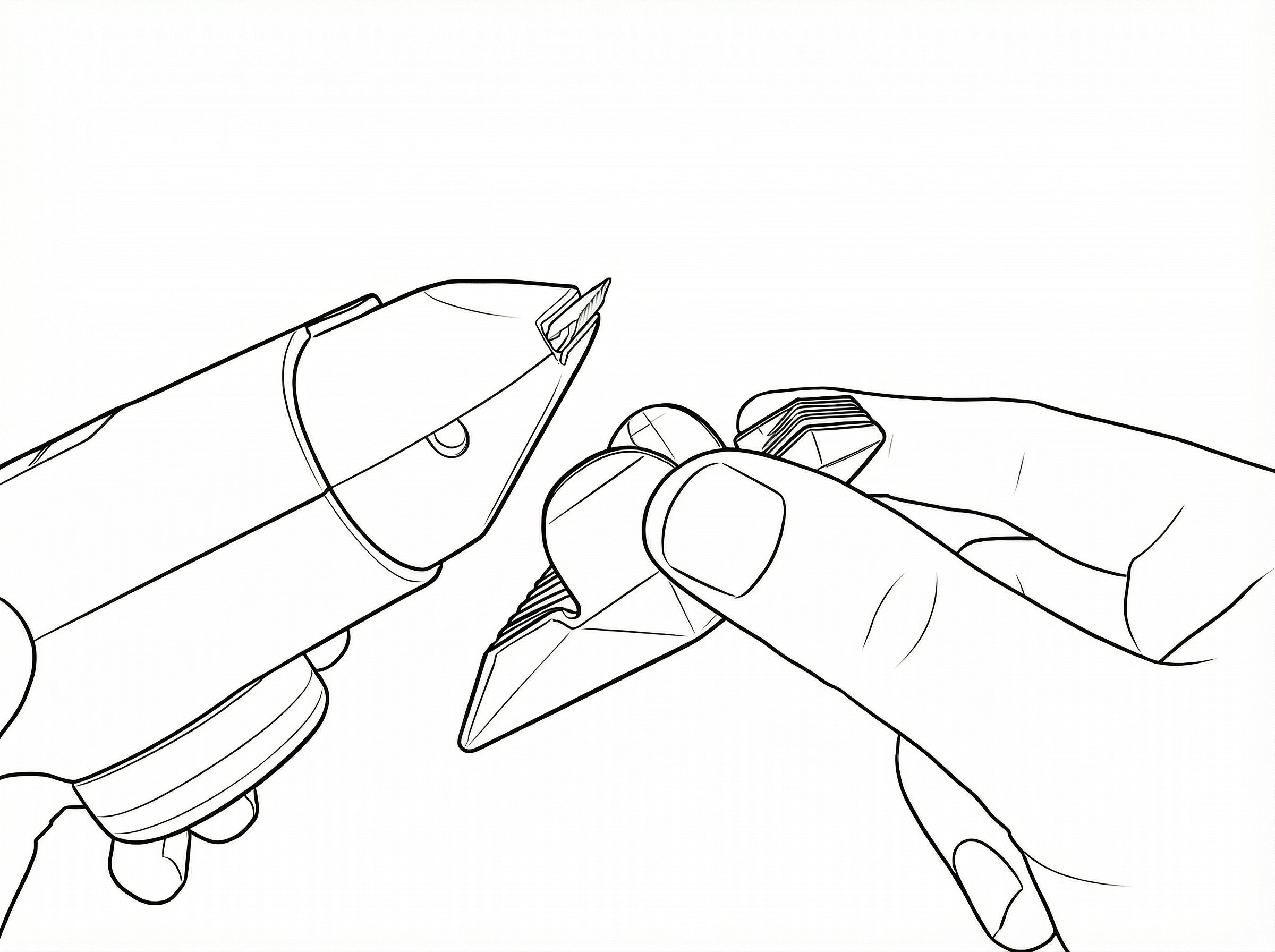
Snap-in blade disassembly
- Press the replaceable blade with your thumbs and push forward in the direction shown.
- Hold the blade and twist upward to remove it.
Cleaning
- Brush hair scraps from the replaceable blade slots.
- Wipe the shaver exterior with a soft, damp cloth.
Safety
- For personal grooming use only.
- Keep out of reach of children.
- Turn off before attaching/removing combs or cleaning.
- Do not plug/unplug with wet hands, and do not damage or pull the charging cable.
Manual Info
HUMMINGBIRD™ User Guide Version 1.0
Support
If you require help with setup, troubleshooting, or replacement parts, please contact our support team via the website.
CONTACT SUPPORT