
USER GUIDE
The Suckaa™ User Guide
Welcome
Thank you for choosing The Suckaa™ . This guide will help you set up, use, and care for your trimmer to ensure optimal performance and long-lasting use. Illustrations are for reference only.
Product Overview
The Suckaa is designed for clean, controlled beard trimming with a built-in vacuum system that captures trimmed hair as you go.
What’s in the Box
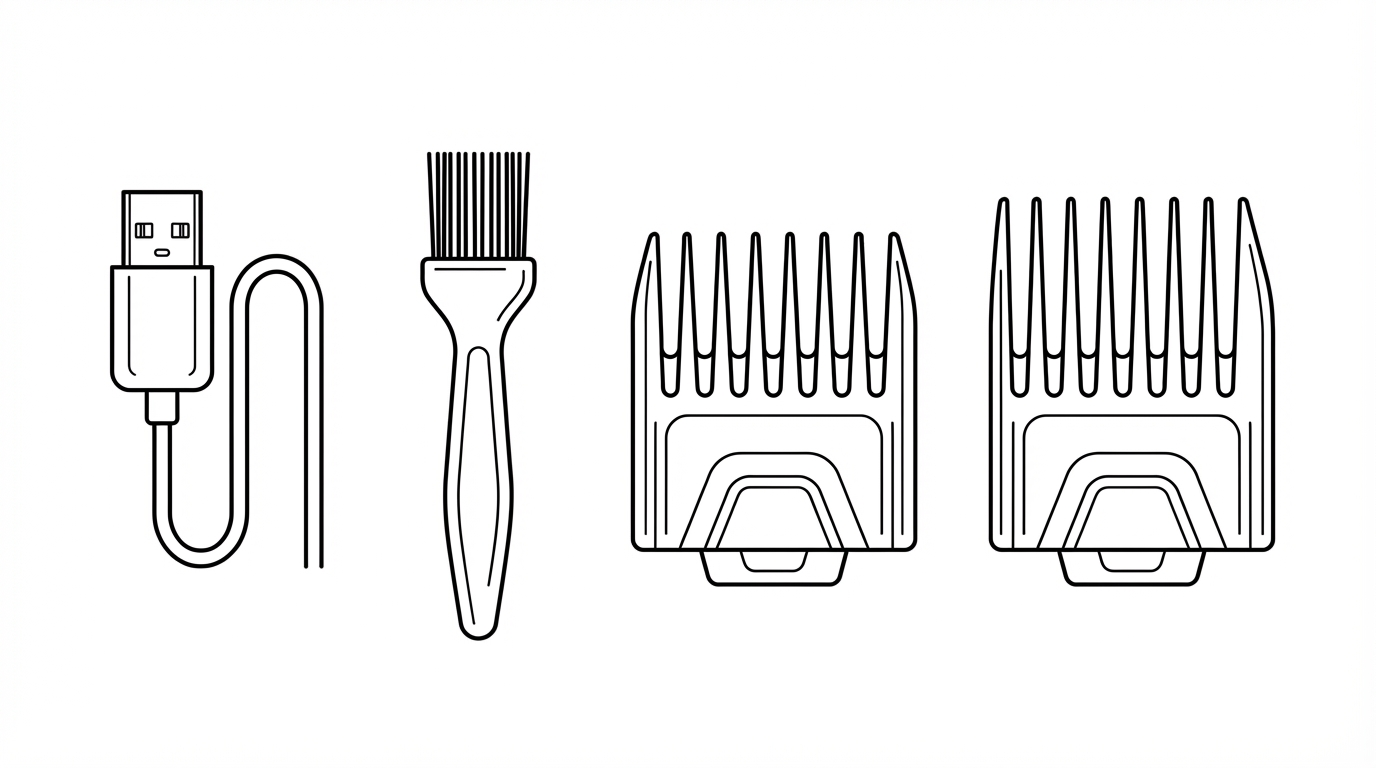
- The Suckaa™ vacuum trimmer
- USB charging cable
- Cleaning brush
- Guide combs (1–10 mm and 11–20 mm)
Charging
- Connect the USB cable to the charging port
- Plug into a 5V power source
- The LCD display shows real-time battery level while charging
- The display shows FULL when charging is complete
Do not operate the trimmer while charging.
Using the Adjustable Comb
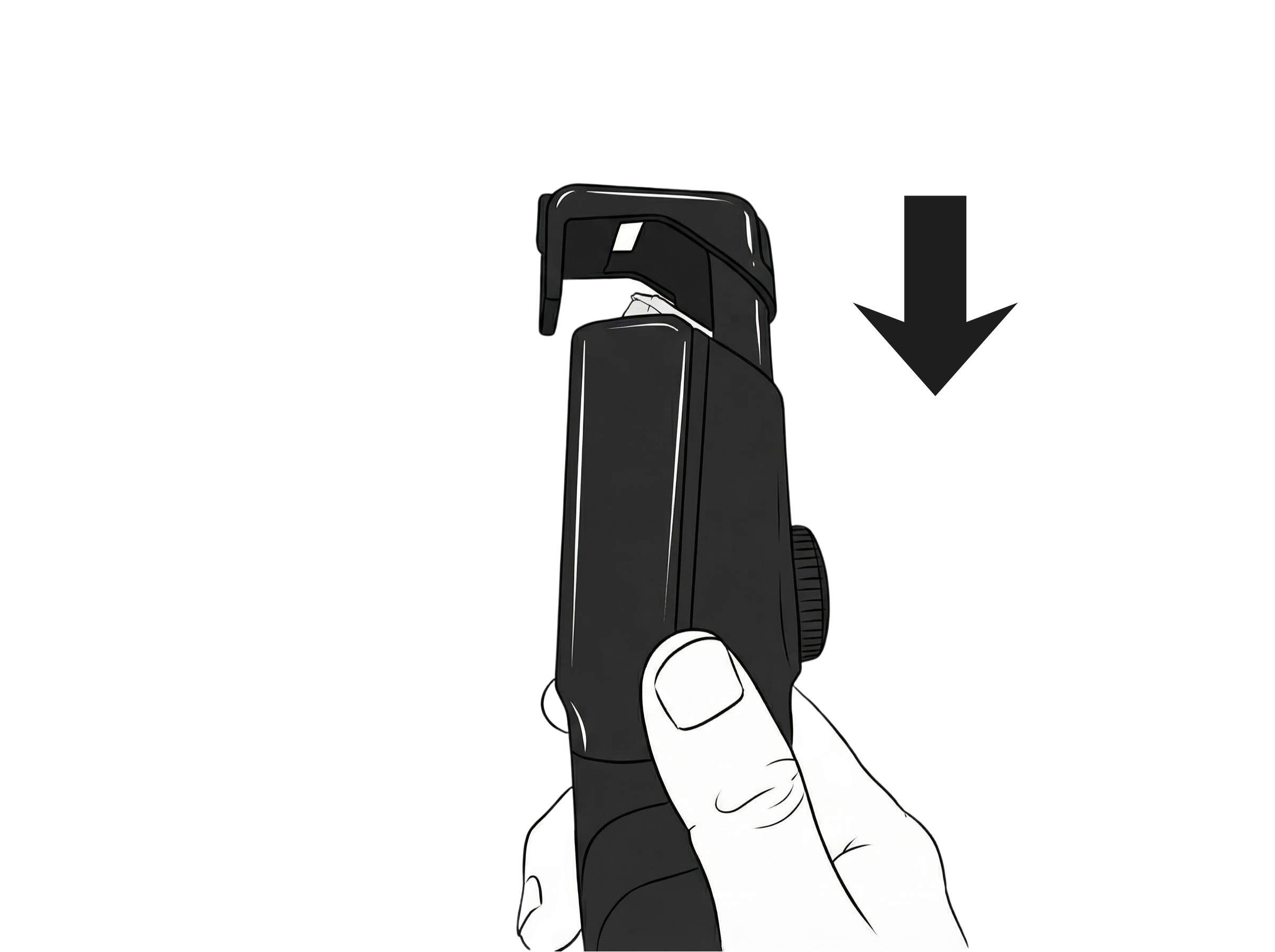
Install
- Align the comb with the top of the trimmer
- Press down until it clicks securely into place
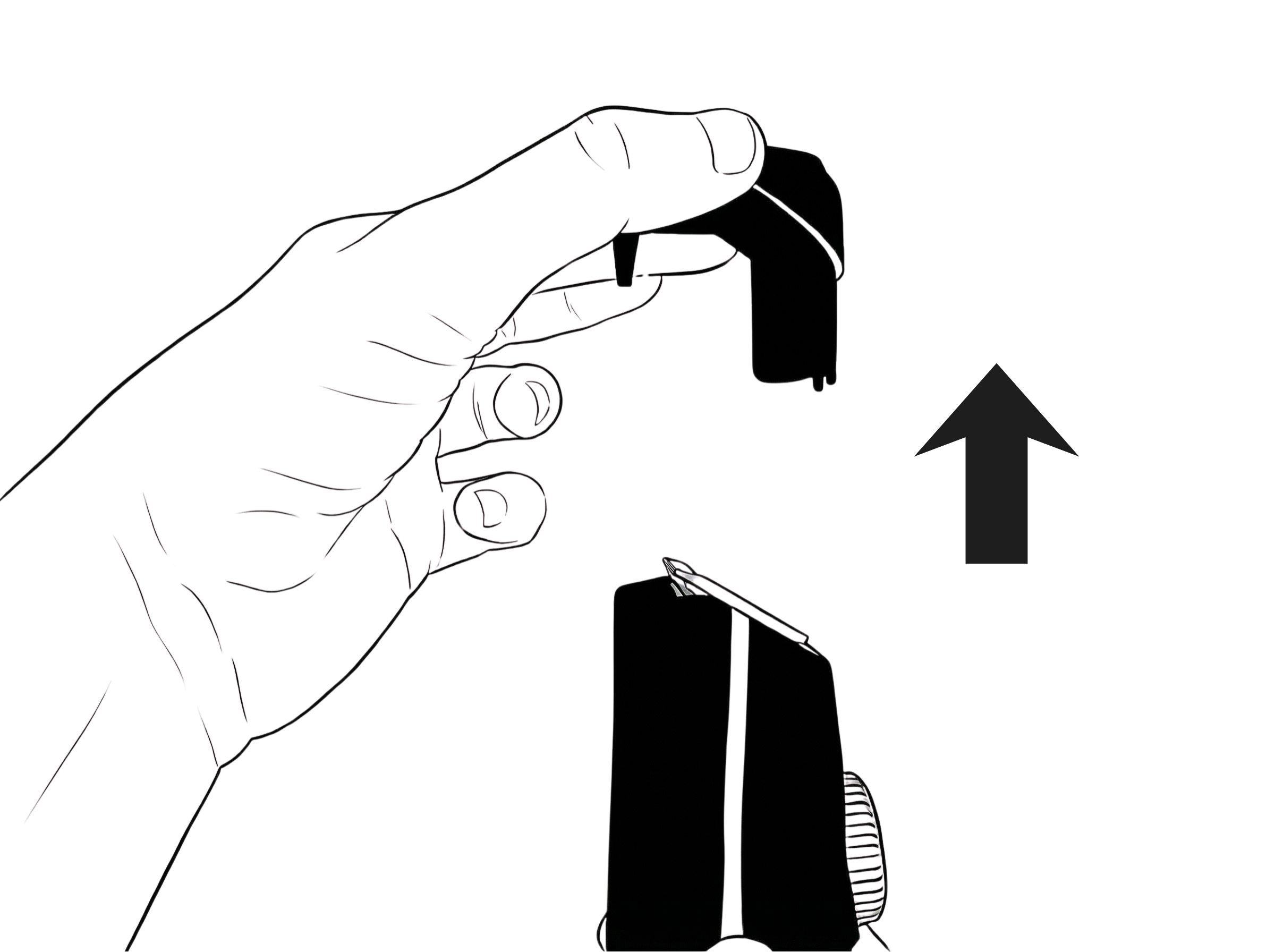
Remove
- Pull the comb upward
- The comb will release from the trimmer
Adjusting Trim Length
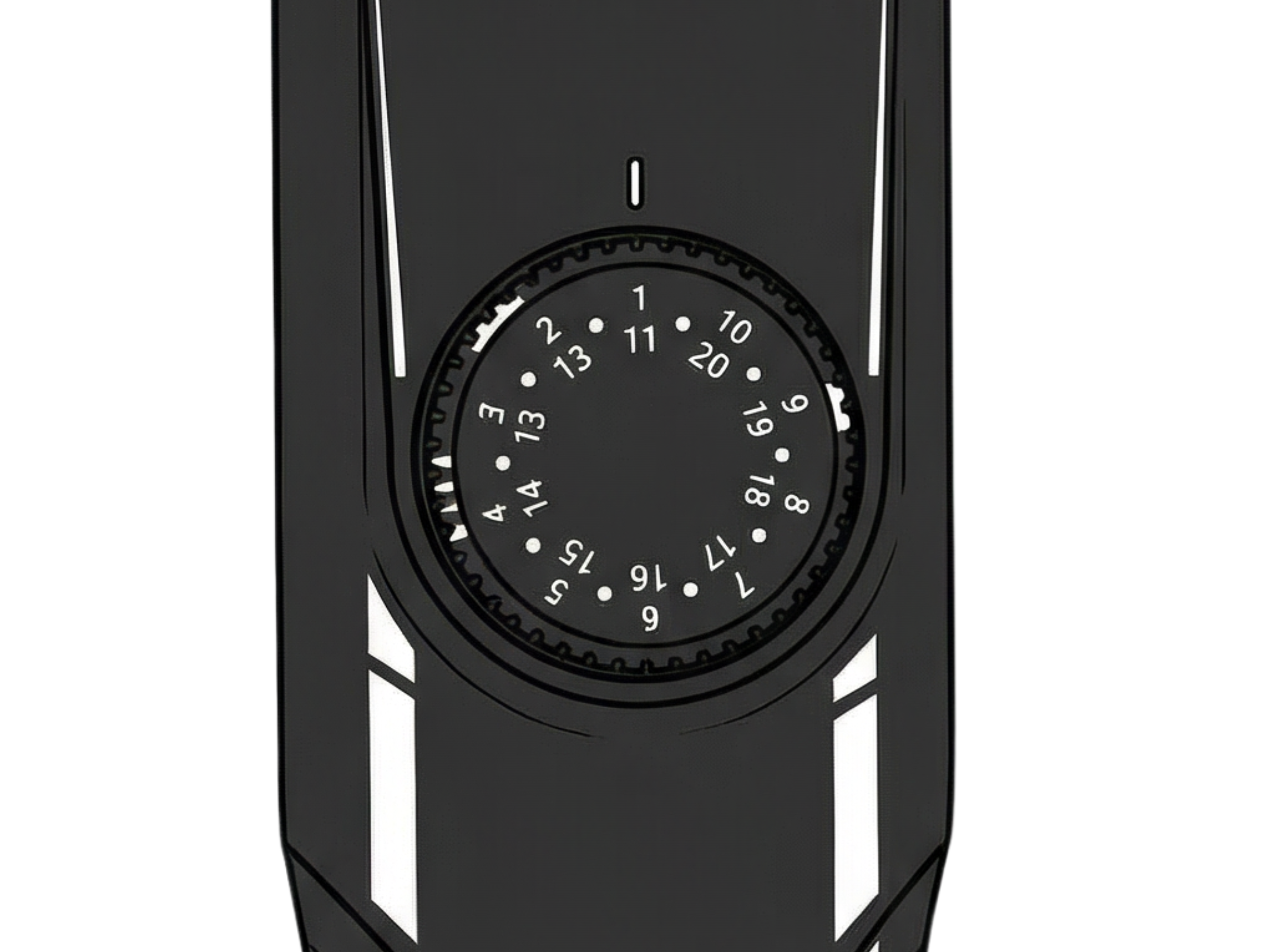
- Rotate the length adjustment dial to select your desired cutting length
- Adjustable range: 1mm to 20mm
- Trim slowly and evenly for best results
Blade Installation & Removal
Installing the Blade
- Align the blade with the blade slot
- Press firmly down until it clicks into place
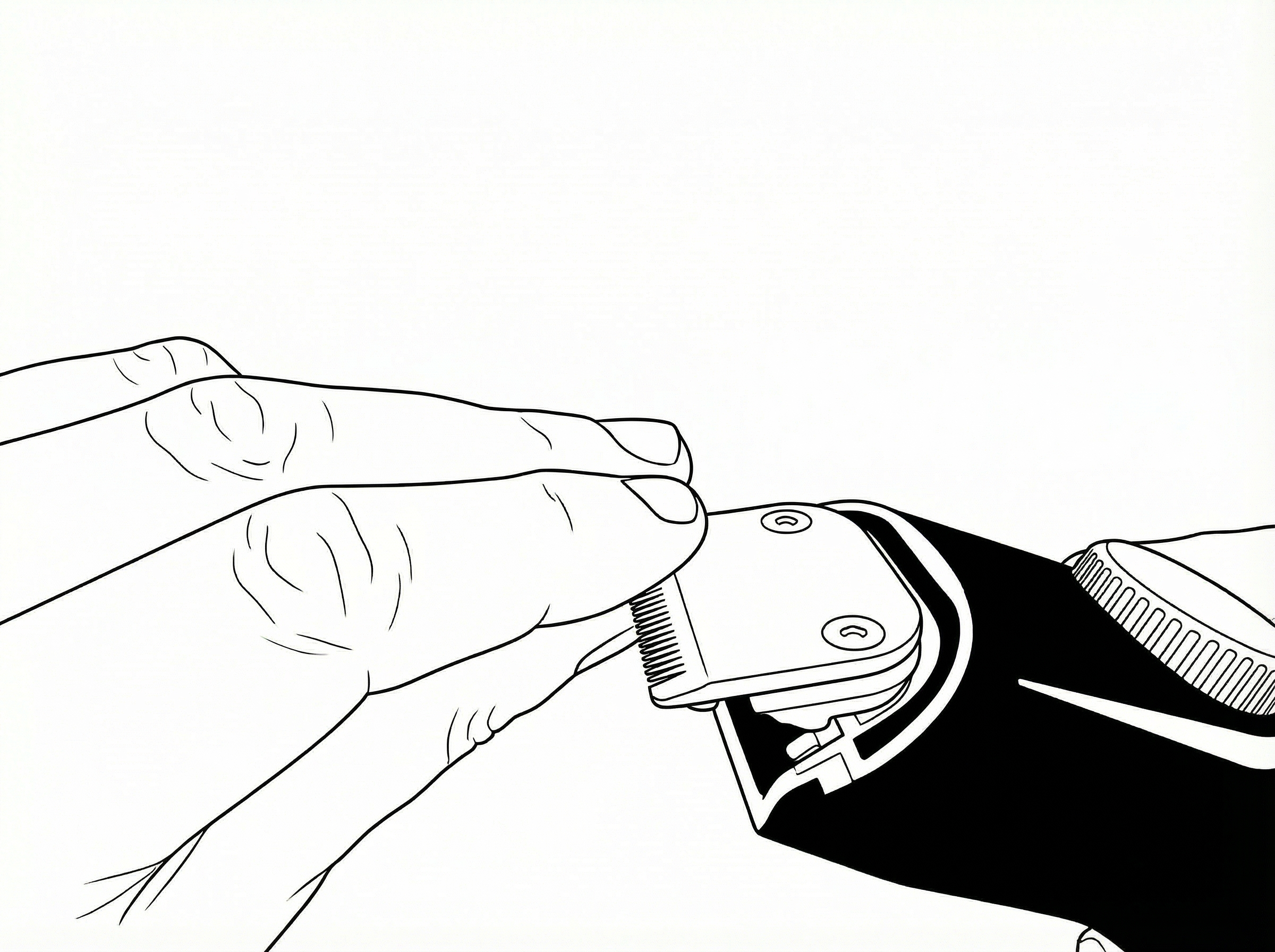
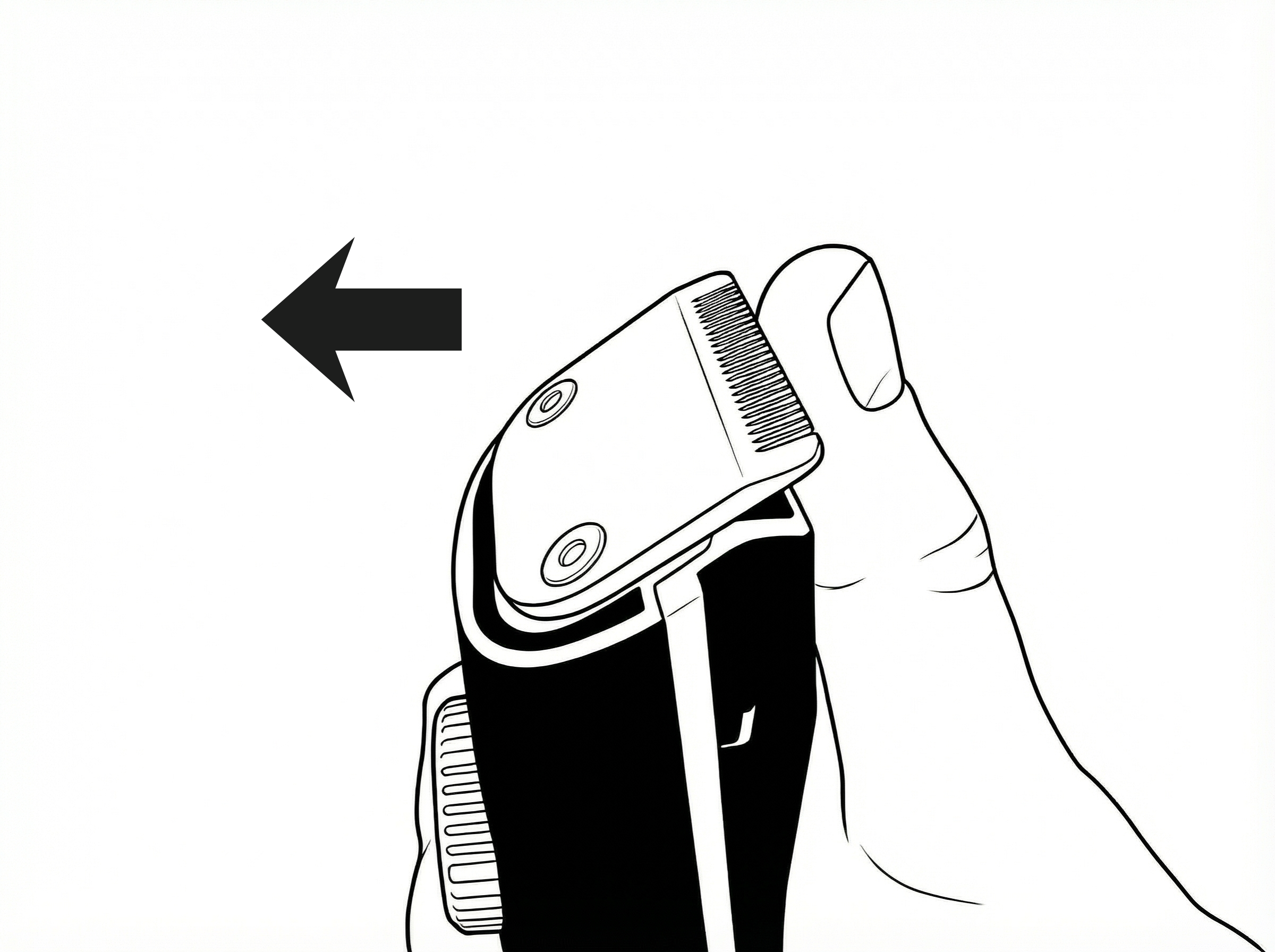
Removing the Blade
- Remove the vacuum chamber cover
- Hold the trimmer with one hand
- Push the blade in the indicated direction
- Lift the blade away carefully
Cleaning & Maintenance
After Each Use
- Power off the trimmer
- Remove the protective cap and open the hair collection area
- Discard collected hair
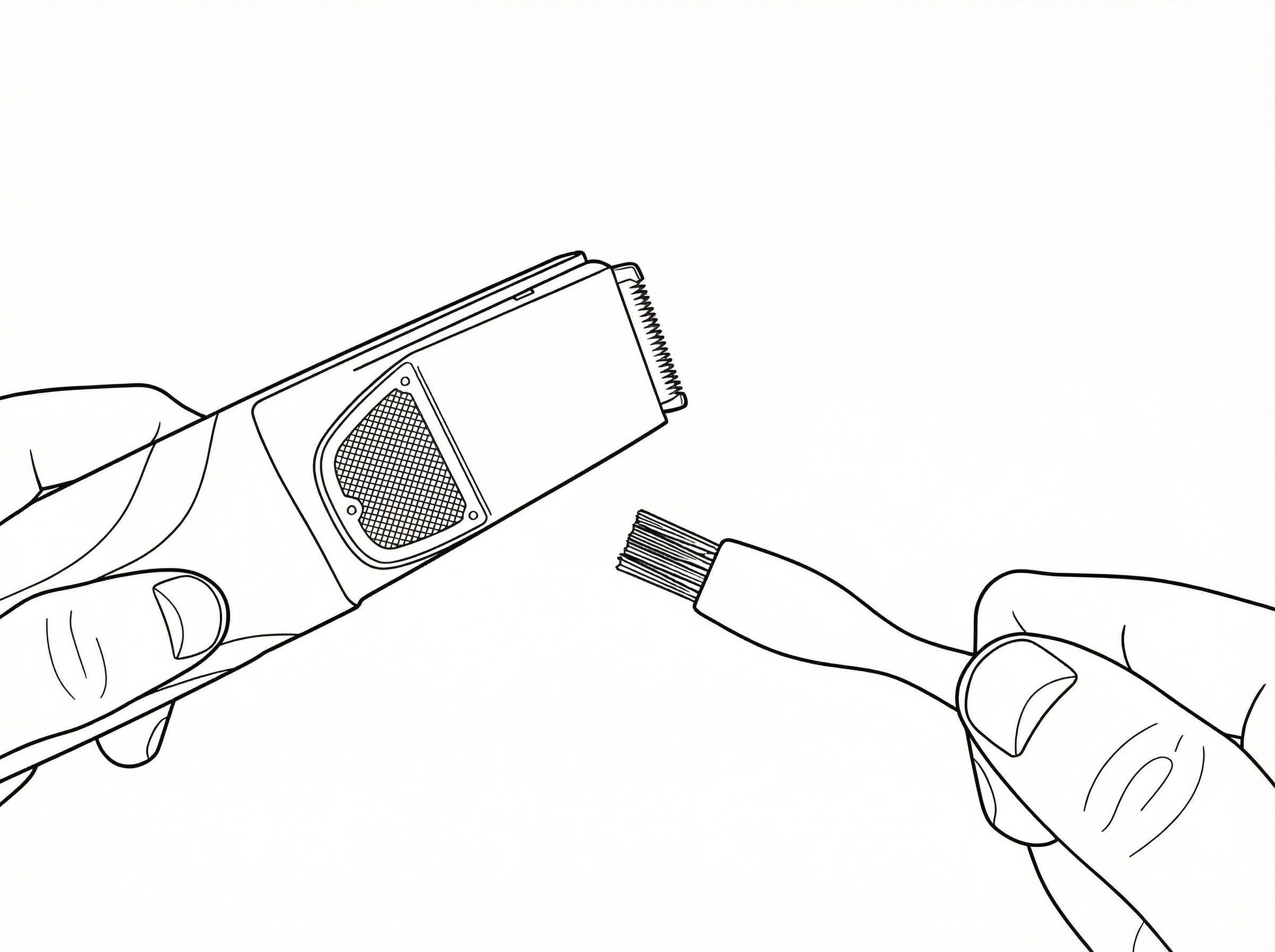
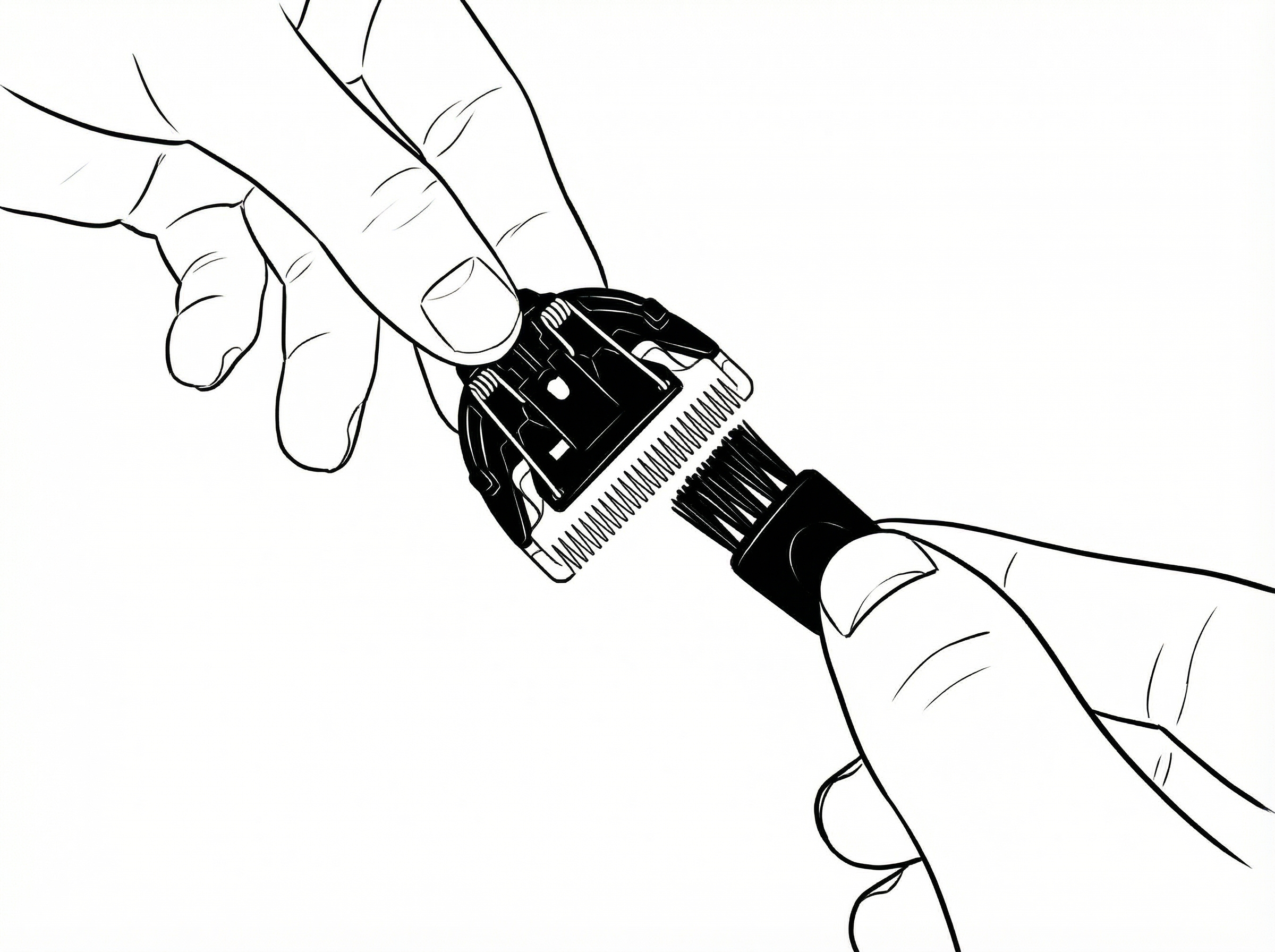
- Remove the blade and use the cleaning brush to clean the blade and inner vacuum mesh
Blade Care
- Use the brush to clean the hair on the blade
- Apply a small amount of clipper oil periodically to maintain smooth cutting performance
Do not rinse or submerge the trimmer body.
Storage
- Ensure the device is clean and dry
- Store in a cool, dry place
- Keep out of reach of children
Safety
- For personal grooming use only.
- Keep out of reach of children.
- Do not use on broken or irritated skin.
- Turn off before attaching or removing parts.
- Store in a dry place.
Manual Info
The Suckaa™ User Guide Version 1.0
Support
If you require help with setup, troubleshooting, or replacement parts, please contact our support team via the website.
CONTACT SUPPORT