
USER GUIDE
Trim Reaper™ User Guide
Welcome
Thank you for choosing Trim Reaper™ . This guide will help you get the best performance from your trimmer. Illustrations are for reference only.
Product Overview
Trim Reaper™ is designed for efficient body hair trimming with adjustable length control and easy blade maintenance.
Power
- Rechargeable battery
- USB charging
- Recommended input: DC 5V ⎓ 1A
What’s in the Box
- Trim Reaper™ trimmer
- Charging dock
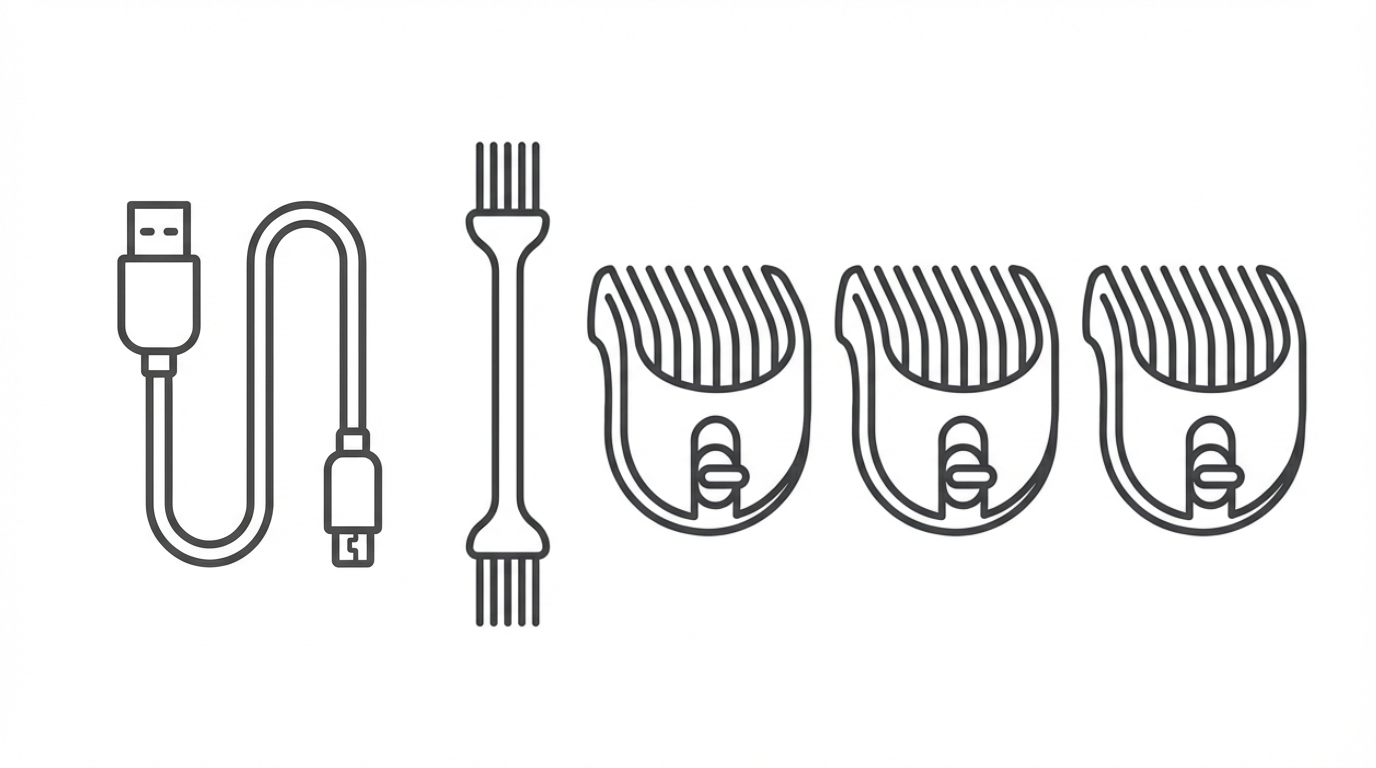
- USB charging cable
- Cleaning brush
- Adjustable guide combs: 1.5 mm, 3–6 mm and 9–12 mm
Charging
Charging with the Dock (Recommended)
- Connect the USB cable to the charging dock.
- Plug the USB cable into a power source.
- Place the trimmer upright into the dock.
- Ensure proper contact for charging.
Charging without the Dock
- Turn the trimmer OFF.
- Connect the USB cable directly to the trimmer.
- Plug into a USB power source.
Notes
- Fully charge before first use.
- Charging time may vary by power source.
- Avoid non-standard high-voltage adapters.
How to Use
With Guide Comb
- Attach the desired guide comb.
- Turn the trimmer ON.
- Trim slowly against hair growth for even results.
Blade Removal
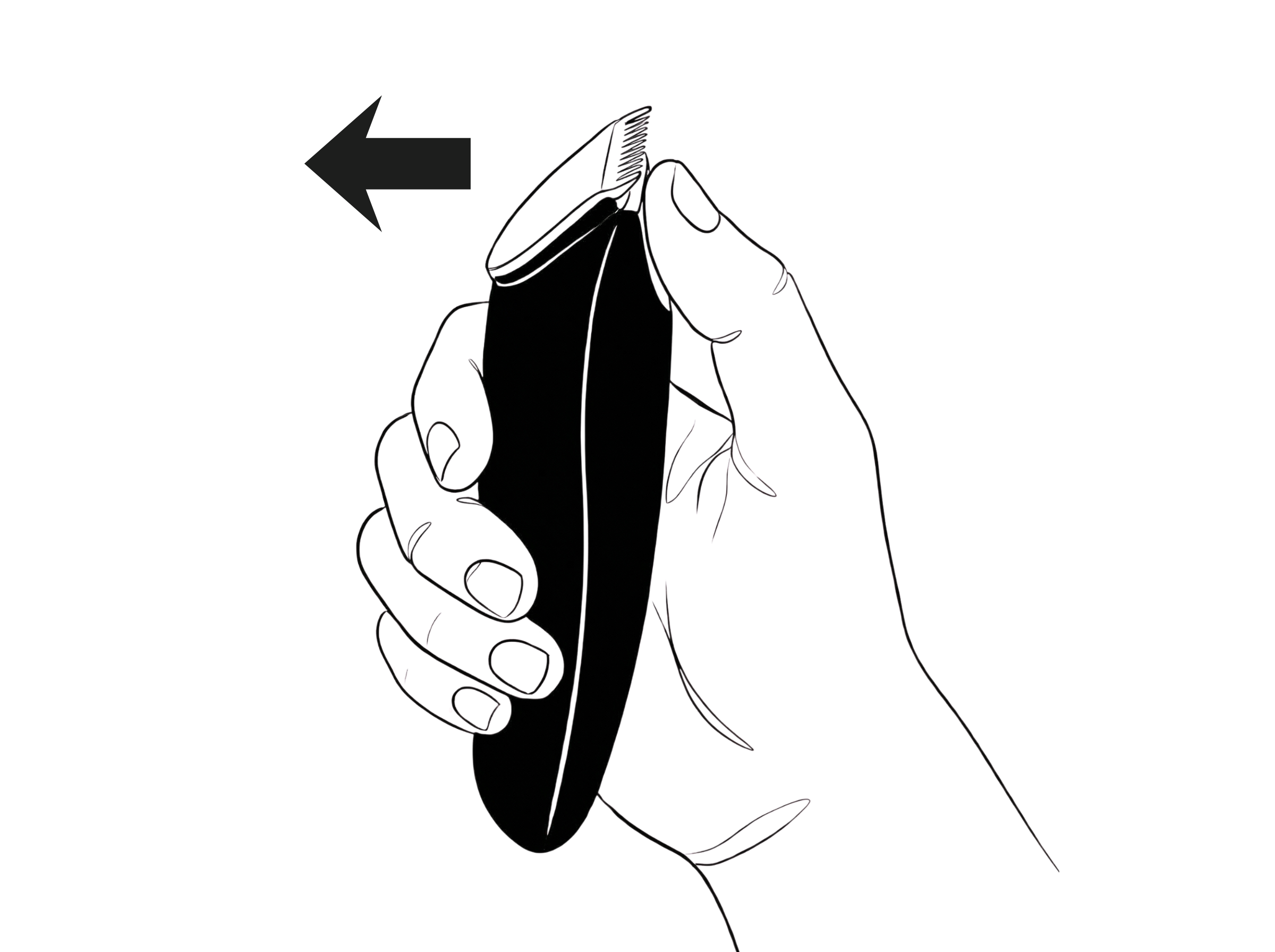
- Turn the trimmer OFF.
- Hold the trimmer firmly.
- Push the blade in the direction of the arrow.
- Remove carefully.
Blade Installation
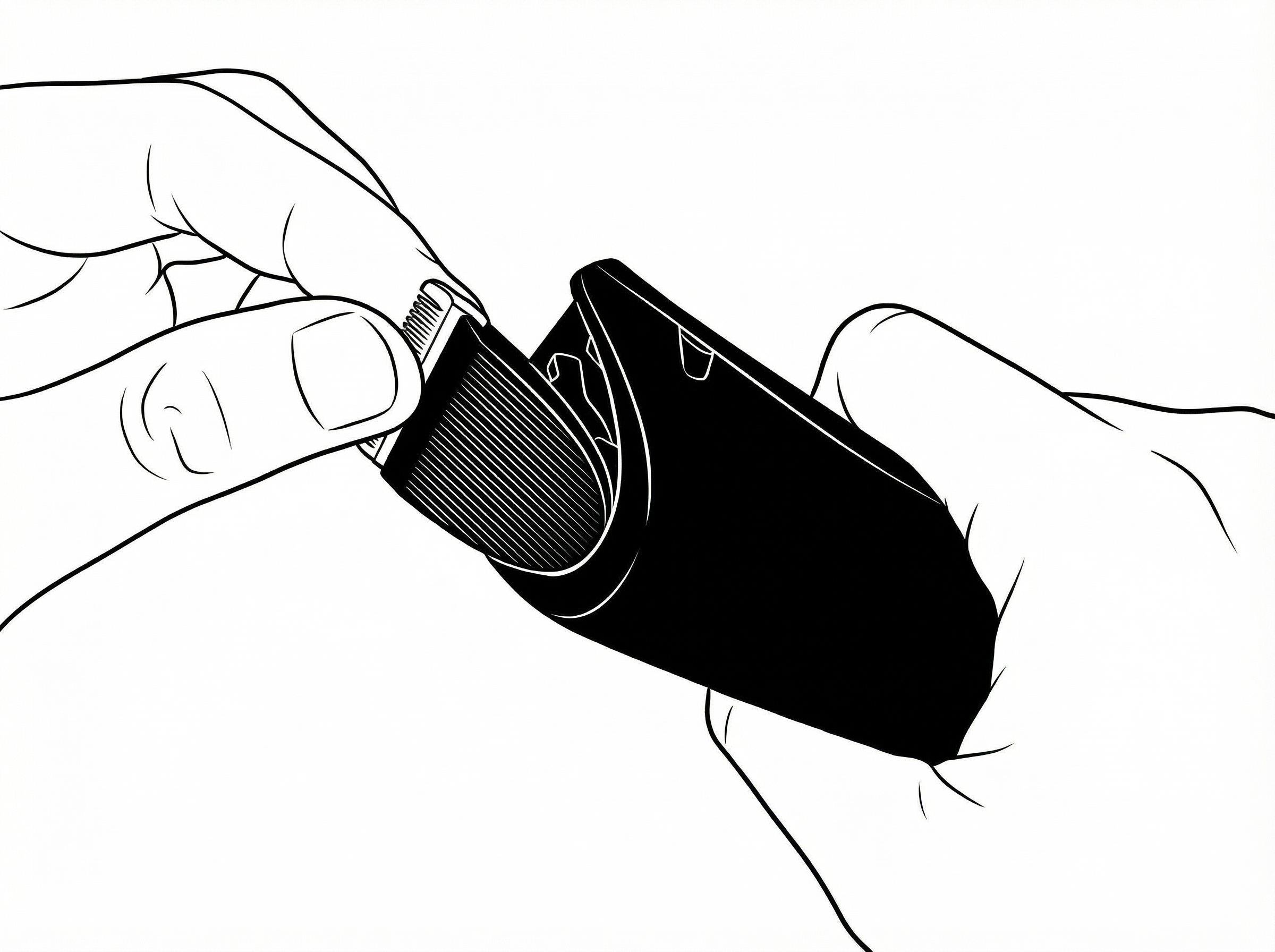
- Align the blade with the trimmer body and put it into the slot.
- Press until the blade into the trimmer body and click it securely into place.
Cleaning & Maintenance
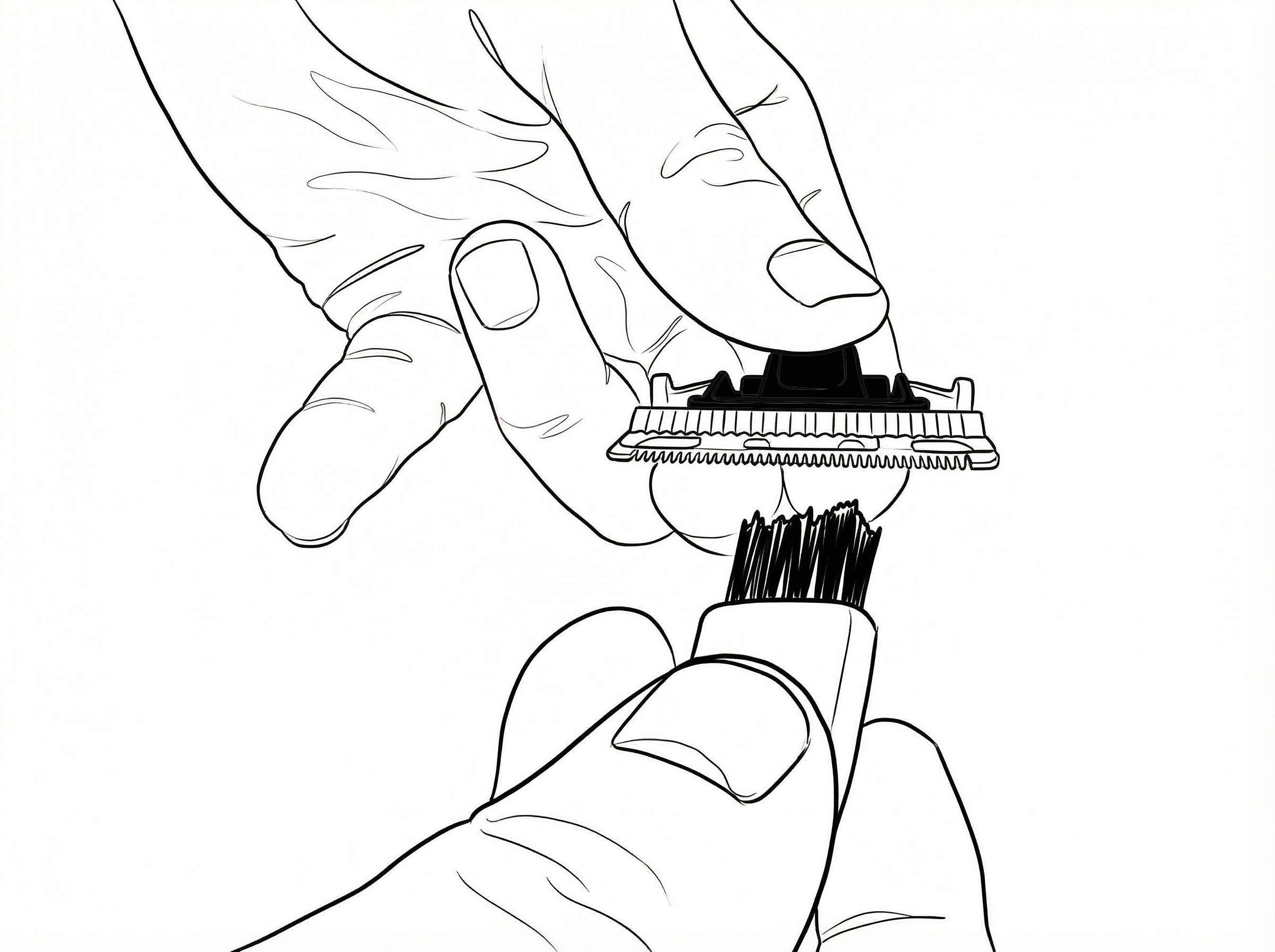
Blade Cleaning
- Remove the blade.
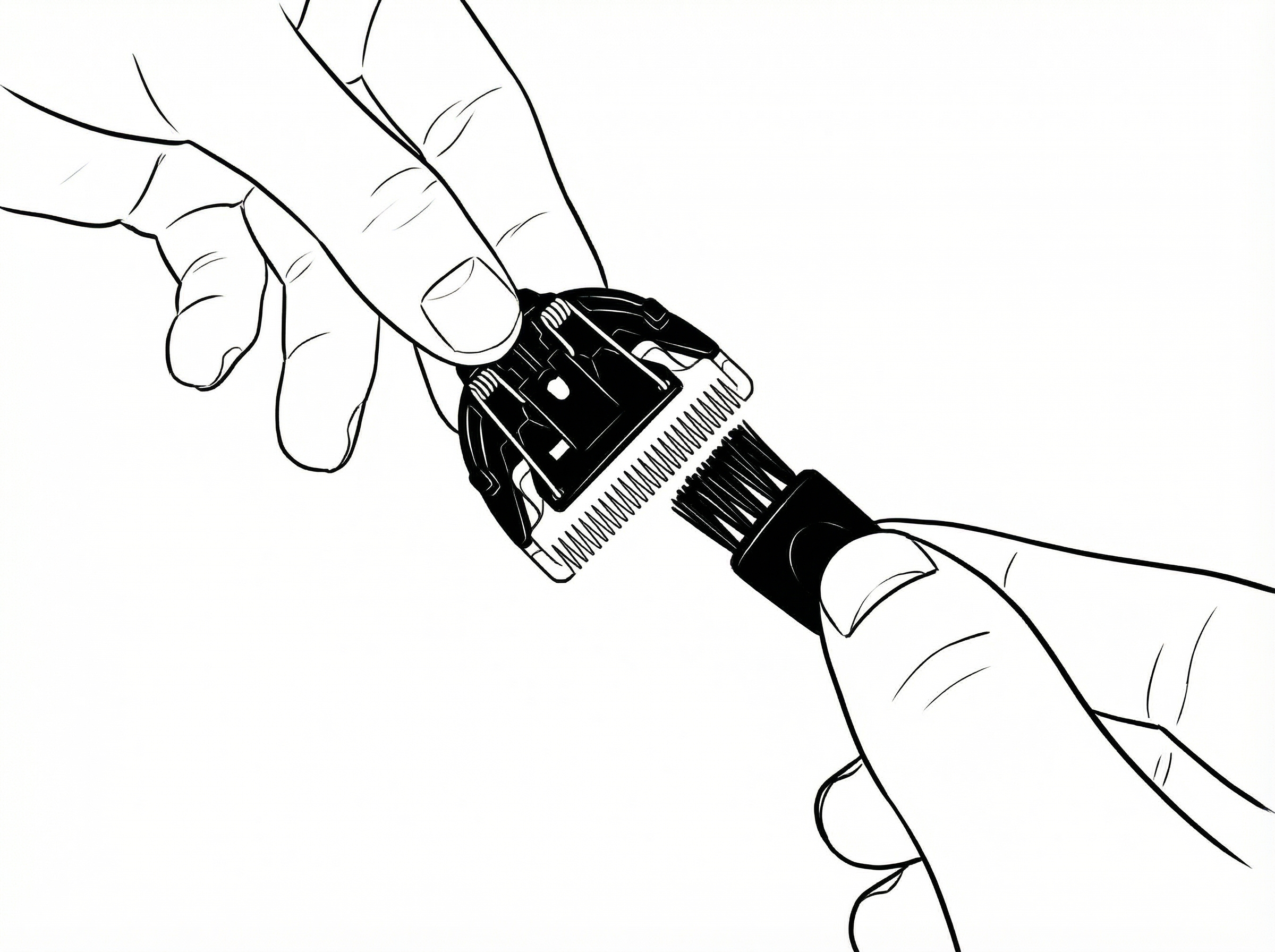
- Use the cleaning brush on the blade teeth to remove hair.
- Press the blade spring and clean between the bottom and upper blade.
Important
- Do not remove internal blade springs.
- Slight blade warmth during use is normal.
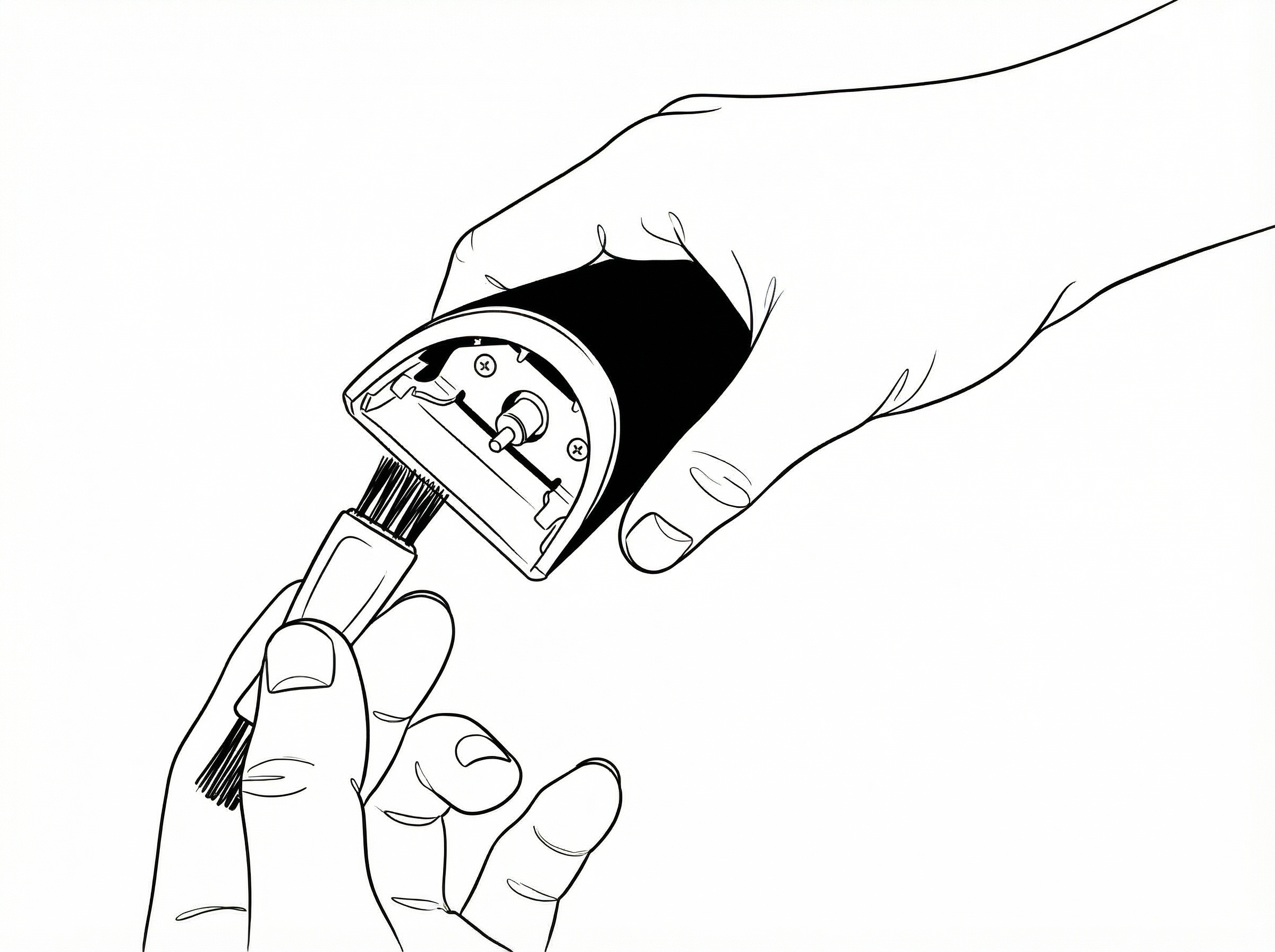
Trimmer Cleaning
- Use the cleaning brush in the blade slot to remove hair.
Dock Care
- Do not immerse the charging dock in water.
- Clean with a dry or lightly damp cloth only.
Safety
- For personal grooming use only.
- Keep out of reach of children.
- Do not use on broken or irritated skin.
- Turn off before attaching or removing parts.
- Store in a dry place.
Manual Info
Trim Reaper™ User Guide Version 1.0
Support
If you require help with setup, troubleshooting, or replacement parts, please contact our support team via the website.
CONTACT SUPPORT